Razer Thunderbolt 5 Dock Chroma Architecture and Throughput Analysis
The Razer Thunderbolt 5 Dock Chroma establishes a benchmark for next-generation desktop connectivity, combining Intel Thunderbolt 5 architecture with internal solid-state storage expansion, active thermal management, and high-frequency video output. Designed to resolve the…
By Harold Blair
As Amazon Associates, we earn from qualifying purchases. This means we may receive a small commission at no extra cost to you if you click through and make a purchase.
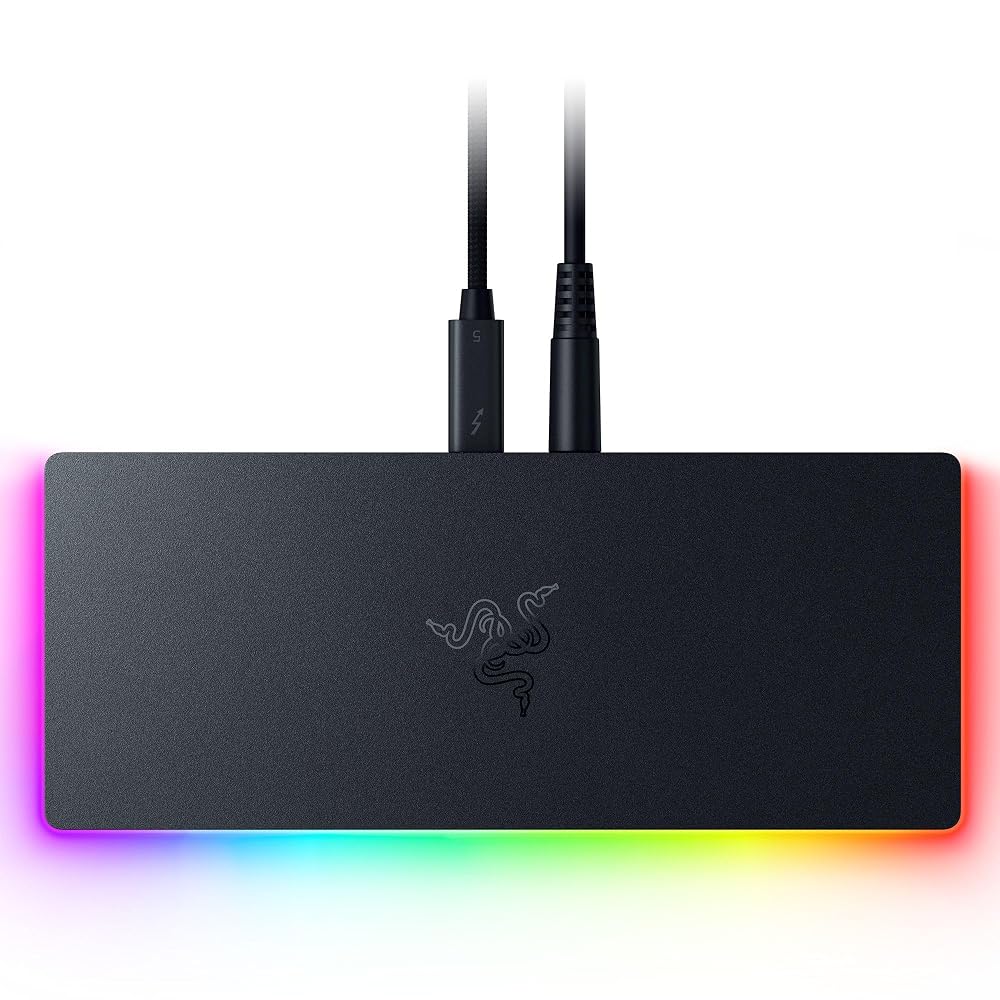
The Razer Thunderbolt 5 Dock Chroma establishes a benchmark for next-generation desktop connectivity, combining Intel Thunderbolt 5 architecture with internal solid-state storage expansion, active thermal management, and high-frequency video output. Designed to resolve the throughput constraints of legacy docking interfaces, this 11-port hub leverages high-bandwidth signaling to eliminate data bus bottlenecks across intensive workstation and gaming setups. For power users and technical professionals managing dense display matrices alongside sustained data pipelines, it serves as an uncompromising hardware hub that delivers true desktop-grade peripheral bandwidth over a single physical cable.
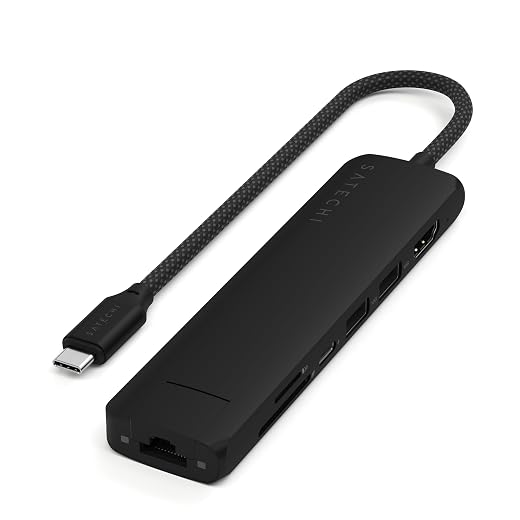
This dock targets creative professionals handling uncompressed media ingest, competitive gamers requiring ultra-high refresh rate display pass-through, and mobile workstation users seeking integrated NVMe storage without maintaining separate external enclosures. Hardware environments running modern Thunderbolt 5 or Thunderbolt 4 hosts will fully utilize its signaling capabilities, whereas general productivity users operating basic USB-C laptops or single 60 Hz displays will find the architecture over-engineered, making an established hub like the microsoft surface thunderbolt 4 dock a more balanced option for lower-demand configurations.
Spec sheet
Razer Thunderbolt 5 Dock Chroma
- Brand & Model
- Razer RC21-02290100-R3U1
- Hardware Interface
- Thunderbolt 5 (Compatible with Thunderbolt 4, Windows, Mac M-Series)
- Maximum Transfer Speeds
- Up to 120 Gbps via Bandwidth Boost
- Port Configuration
- 11 Ports + Integrated Internal M.2 SSD Slot
- Storage Expansion
- Internal M.2 NVMe slot supporting up to 8TB capacity
- Display Support
- Triple 4K at 144 Hz, 8K at 60 Hz, 4K at 240 Hz, 1440p at 500 Hz
- Power Delivery
- 140W Host Charging
- Peripheral Connectivity
- Gigabit Ethernet, UHS-II SD Card Slot, 3.5 mm Audio, USB 3.2 Gen 2 Type-A
- Cooling Mechanism
- Integrated Active Cooling System
- Physical Dimensions
- 8.08 inches L x 3.35 inches W x 1.18 inches H
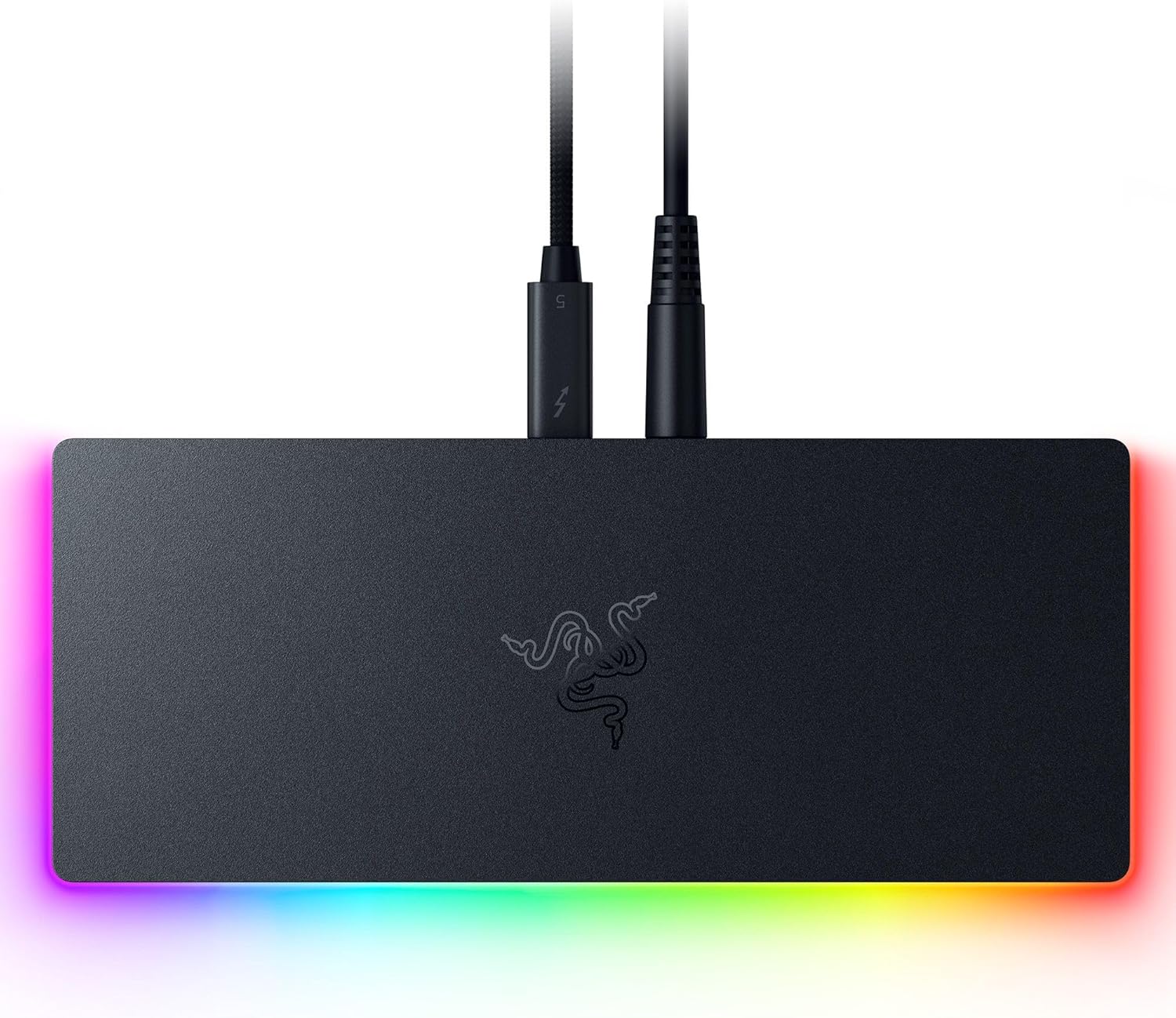
Figures as published by the manufacturer on the Amazon listing.
Bandwidth Allocation and the 120 Gbps Architecture
The foundational advantage of this hardware lies in its signaling architecture. Traditional Thunderbolt 4 hubs operate on a fixed 40 Gbps bi-directional boundary, splitting bandwidth evenly between DisplayPort video tunneling and PCIe data transfers. The caldigit ts4 dock demonstrated the ceiling of that standard, capping PCIe tunneling at 32 Gbps. By comparison, this thunderbolt 5 dock 120gbps architecture utilizes asymmetric signaling through Bandwidth Boost technology. Under heavy display rendering loads, the controller dynamically reconfigures its four high-speed transit lanes, shifting from a symmetric 80 Gbps bi-directional state to deliver up to 120 Gbps downstream to external monitors while reserving 40 Gbps for upstream communications.
Analyzing the razor thunderbolt 5 dock specs reveals how this massive bandwidth pipeline transforms real-world desktop operations. With a dedicated doubling of underlying PCI Express data throughput compared to preceding standards, the system eliminates the peripheral starvation that occurs when high-throughput external drives, gigabit networking, and multi-stream display pipelines run concurrently. Demanding users can execute continuous high-volume file writes to the internal drive while driving high-refresh video feeds without experiencing packet drops, interface latency, or dropped monitor frames.
This dynamic bandwidth allocation operates automatically at the controller level, negotiating transfer parameters directly with compatible Thunderbolt 5 host operating systems. When connected to older Thunderbolt 4 hardware, the unit automatically steps down to standard 40 Gbps signaling protocols. While backwards-compatible host operation limits peak transfer velocity, it preserves functional stability across diverse desktop environments, ensuring that users upgrading their systems in phases can still deploy the dock effectively today.
Multi-Monitor Output and Extreme Refresh Rates
Display pipeline flexibility represents a core evaluation metric for high-end docking stations. The razer thunderbolt 5 dock monitor support accommodates an unprecedented range of resolution and refresh rate combinations, driven by expanded DisplayPort tunneling protocols. The dock natively supports triple 4K displays operating simultaneously at 144 Hz over a single connection. For visual content creators, 3D artists, and software developers who rely on sprawling desktop real estate without sacrificing smooth cursor tracking and motion fluidity, this capability completely surpasses legacy dual-4K limits.
Single-display configurations benefit from the expanded 120 Gbps signaling headroom. The hardware can route an uncompressed 8K video stream at 60 Hz, providing extreme pixel density for color-grading suites and precision CAD workflows. Alternatively, users prioritizing temporal resolution over pure pixel counts can drive displays at 4K resolution up to 240 Hz, or step down to 1440p resolution at an extreme 500 Hz refresh rate. Supporting 1440p at 500 Hz makes this dock one of the few desktop docking solutions capable of driving elite-tier esports monitors at native hardware refresh ceilings without signal degradation.
The dock outputs these display signals through its multiple Thunderbolt 5 ports. Users must account for host GPU capabilities and display interface standards when planning complex setups. Driving triple 4K at 144 Hz or 8K at 60 Hz requires compatible host graphics pipelines that support Display Stream Compression (DSC) and current DisplayPort signaling. When connected to systems with sufficient GPU lane allocations, the dock delivers artifact-free video pass-through without introducing input lag or display desynchronization.
Integrated M.2 NVMe SSD Storage Architecture
A primary architectural distinction highlighted in this razer thunderbolt 5 dock chroma review is the integration of an internal M.2 storage bay. Traditional workstation layouts often rely on external drive enclosures dangling from secondary ports, consuming desk space, generating cable clutter, and introducing multiple points of physical failure. This dock integrates an internal M.2 slot directly beneath its chassis, supporting M.2 NVMe solid-state drives up to 8TB in capacity. This razer thunderbolt 5 dock m.2 ssd integration connects directly to the underlying PCIe tunneling fabric, establishing a seamless local drive partition on the host machine.
Because Thunderbolt 5 provides double the dedicated PCIe data bandwidth of Thunderbolt 4, the internal SSD interface operates without the severe throughput limits that constrained earlier external drives. Creative professionals working with uncompressed 4K, 6K, or 8K video timelines can configure the internal drive as a dedicated scratch disk or primary project volume. Sequential transfer speeds and random I/O performance are sufficient to stream multi-cam video assets directly from the dock into editing software without dropped playback frames or timeline stutter.
To ensure prolonged drive health and prevent thermal degradation, the internal M.2 compartment interfaces with the dock’s internal thermal structure. High-performance NVMe solid-state drives generate substantial heat under prolonged sequential write sessions, which typically induces aggressive thermal throttling in passive enclosures. By integrating the storage bay within a chassis managed by active cooling, the dock sustains stable read and write speeds during multi-gigabyte project transfers, preserving throughput when handling extensive production archives.
Power Delivery and Thermal Management
Modern mobile workstations and gaming laptops demand substantial power inputs to prevent battery drain during intensive computational cycles. This hardware addresses charging demands through razer thunderbolt 5 dock 140w power delivery, leveraging the USB Power Delivery 3.1 Extended Power Range (EPR) standard. Providing up to 140W of dedicated host charging over the primary Thunderbolt cable ensures that compatible high-performance laptops remain fully powered even while the CPU and GPU are stressed under sustained creative rendering or gaming loads.
Managing 140W power delivery alongside high-speed data routing and NVMe storage generates substantial thermal energy. Passive aluminum docks frequently suffer from heat saturation, leading to dropped peripheral connections or reduced charging efficiency. Razer mitigates this through an active cooling system built directly into the housing. Measuring 8.08 inches long, 3.35 inches wide, and 1.18 inches high, the chassis contains internal airflow channels and an integrated fan mechanism designed to continuously exhaust heat away from the primary Thunderbolt controller and internal M.2 module.
Beyond high-wattage power delivery, the dock provides an 11-port physical interface layout tailored to professional peripheral requirements. The connectivity suite includes:
- Multiple high-bandwidth Thunderbolt 5 ports for downstream chaining and display routing
- Two USB 3.2 Gen 2 Type-A ports for legacy peripherals and high-speed external accessories
- A dedicated Gigabit Ethernet RJ-45 port for low-latency wired local area network connections
- A front-facing UHS-II SD card slot supporting high-speed camera card ingestion
- A 3.5 mm audio combo jack for headphones, headsets, or external studio monitors
- Thunderbolt Share support for streamlined multi-PC peripheral and file sharing workflows
While multi-port workstation docks like the ugreen maxidok thunderbolt 5 explore high port densities with varied configurations, Razer concentrates on balanced, high-bandwidth port distribution. The inclusion of two USB Type-A ports provides baseline backward compatibility, though users with extensive legacy USB-A hardware arrays may require external splitters or USB-C to USB-A adapters to accommodate large collections of older accessories.
Host System Compatibility Across Mac and Windows
System compatibility represents a crucial consideration when deploying high-end connectivity hardware. On Windows platforms, the dock operates seamlessly with both Thunderbolt 5 and Thunderbolt 4 laptops and desktop motherboards. When paired with a Thunderbolt 5 Windows host, the dock operates at its full 120 Gbps Bandwidth Boost potential, enabling triple display outputs and maximum PCIe throughput. On Thunderbolt 4 Windows systems, the dock functions reliably as a legacy 40 Gbps dock, maintaining access to the M.2 SSD, wired Ethernet, audio, and downstream USB connections.
Analyzing razer thunderbolt 5 dock mac compatibility requires an understanding of Apple Silicon display architecture. The listing confirms compatibility with MacBook Air, MacBook Pro, Mac mini, iMac, Mac Studio, and Mac Pro models equipped with M-series chips. Core hardware interfaces—including the UHS-II SD card reader, Gigabit Ethernet, 3.5 mm audio, USB Type-A ports, 140W charging, and internal M.2 NVMe storage—function natively across macOS without requiring third-party driver installations.
However, multi-monitor display capabilities on macOS remain governed by Apple hardware limits. Base M-series chips (such as standard M1, M2, M3, or M4 processors found in MacBook Air models) natively support a restricted number of external displays. To achieve dual or triple external display setups through the dock, users must connect the dock to higher-tier Apple Silicon configurations, such as M-series Pro, Max, or Ultra processors that feature multi-stream display controllers. Prospective buyers should confirm their specific Mac processor specifications before expecting triple external display outputs.
Razer Thunderbolt 5 Dock Chroma Pros and Cons
What works
- Up to 120 Gbps Bandwidth Boost transfer speeds
- Internal M.2 NVMe slot supporting up to 8TB
- Triple 4K 144 Hz and 1440p 500 Hz display support
- 140W Power Delivery for demanding laptops
- Active cooling architecture ensures thermal stability
- Fast UHS-II SD card reader integration
What to weigh up
- Total USB-A connectivity limited to two ports
- Requires Thunderbolt 5 host for maximum 120 Gbps speeds
- External display count limited on base Apple M-series chips
Check Razer Thunderbolt 5 Dock Chroma on Amazon
Who Should Buy the Razer Thunderbolt 5 Dock Chroma
Buy It If
- You operate a Thunderbolt 5 host system and require up to 120 Gbps of bandwidth to eliminate video and data bottlenecks.
- You need to drive multi-monitor setups at high refresh rates, including triple 4K at 144 Hz or competitive gaming panels at 1440p up to 500 Hz.
- You want high-speed, integrated M.2 NVMe storage up to 8TB directly inside your primary desktop dock to serve as a scratch disk.
- Your mobile workstation or gaming laptop requires up to 140W of single-cable Power Delivery to sustain peak performance under heavy loads.
Skip It If
- Your computer relies exclusively on legacy USB-A or standard USB-C ports that lack Thunderbolt 4 or Thunderbolt 5 controller support.
- You maintain a large collection of legacy USB-A peripherals that exceeds the dock’s two integrated USB Type-A ports without using separate hubs.
- Your daily computing workflow consists of standard office productivity where dual 60 Hz monitors and basic 10 Gbps transfer speeds are fully adequate.
Final Verdict
3.6 / 5Amazon buyer rating
When evaluating whether the razor thunderbolt 5 dock is worth it, technical buyers must weigh their specific bandwidth and workflow demands against the hardware’s advanced architectural capabilities. If your daily workstation tasks involve shuttling massive uncompressed video directories, running high-refresh gaming displays, and managing complex multi-device pipelines, the Razer Thunderbolt 5 Dock Chroma delivers tangible performance gains. The combination of dynamic 120 Gbps Bandwidth Boost signaling, 140W host charging, and an internal M.2 NVMe storage bay places this unit at the leading edge of modern desktop expansion hardware.
Ultimately, this dock represents a future-ready foundation for high-performance computing environments. By integrating active thermal management, broad display scaling up to 500 Hz, and universal compatibility across Thunderbolt 5 and Thunderbolt 4 systems, it resolves the data saturation limits that have constrained high-end workstations for years. For users equipped with the appropriate host hardware and demanding performance requirements, this dock stands as an exceptional desktop nerve center that delivers uncompromised speed and interface versatility.
FAQ
Does the Razer Thunderbolt 5 Dock Chroma support triple 4K monitors?
Yes. The dock supports triple 4K displays operating at 144 Hz simultaneously when connected to a host system equipped with a compatible Thunderbolt 5 controller and appropriate DisplayPort bandwidth routing.
What is the maximum capacity supported by the internal M.2 SSD slot?
The integrated M.2 NVMe solid-state drive slot supports storage capacities up to 8TB, providing high-speed local storage expansion directly through the dock’s PCIe tunneling interface.
Can this dock deliver 140W of charging power to any laptop?
The dock supplies up to 140W of Power Delivery over its primary connection, but the host laptop must support the USB Power Delivery 3.1 Extended Power Range (EPR) standard to draw the full 140W charging rate.
Is the dock fully functional with Apple Mac computers?
Yes. The dock is compatible with MacBook Air, MacBook Pro, Mac mini, iMac, Mac Studio, and Mac Pro systems powered by M-series chips, though the maximum number of external displays is dictated by the specific M-series chip tier.
Why does the dock feature active cooling instead of passive heat dissipation?
Active cooling is integrated to manage the substantial thermal output generated by 140W power delivery, continuous 120 Gbps data signaling, and sustained high-speed read and write operations from the internal M.2 NVMe drive.
See this listing on Amazon We may earn a commission if you buy through this link.
More in Accessories & Peripherals


The weekly shortlist
Specs worth reading, once a week
New teardowns, spec sheets and buying notes from across the desk.
This demo form is not connected to a mailing service.