Samsung T35F 27-Inch Monitor: Technical Specs and Performance Evaluation
The Samsung T35F 27″ (model LF27T350FHNXZA) enters the productivity display space as an expansive, budget-conscious desktop screen designed to balance broad viewing angles, fluid desktop pacing, and thin-bezel multi-display alignment. Built around an In-Plane…

As Amazon Associates, we earn from qualifying purchases. This means we may receive a small commission at no extra cost to you if you click through and make a purchase.
The Samsung T35F 27″ (model LF27T350FHNXZA) enters the productivity display space as an expansive, budget-conscious desktop screen designed to balance broad viewing angles, fluid desktop pacing, and thin-bezel multi-display alignment. Built around an In-Plane Switching (IPS) panel with a Full HD 1920 x 1080 native resolution, this monitor steps above entry-level 60Hz panels by integrating a 75Hz refresh rate and AMD Radeon FreeSync variable refresh rate technology. In this Samsung LF27T350FHNXZA review, the screen proves itself to be a competent, stable display engine for business spreadsheets, web development, dual-screen document comparison, and casual multimedia playback.
This monitor suits remote office workers, students, and general enterprise workstations seeking maximum visible diagonal surface area and dependable color consistency without a complex installation footprint. Conversely, users working in high-precision digital prepress, technical photo retouching, or competitive fast-twitch esports will find the combination of a 27-inch physical canvas and 1080p pixel grid less ideal, making higher-density panels or specialized high-refresh gaming displays a more appropriate choice for their demanding workflows.

Spec sheet
Samsung T35F 27"
- Screen Size
- 27 inches (diagonal)
- Display Technology
- IPS (In-Plane Switching) LED
- Native Resolution
- 1920 x 1080 (Full HD)
- Aspect Ratio
- 16:9
- Refresh Rate
- 75Hz
- Response Time
- 5.0 milliseconds
- Static Contrast Ratio
- 1000:1
- Peak Brightness
- 250 cd/m²
- Viewing Angles
- 178° Horizontal / 178° Vertical
- Video Interfaces
- 1x HDMI, 1x D-Sub (VGA)
- Power Consumption
- 25 Watts (110V)
Figures as published by the manufacturer on the Amazon listing.
Display Architecture and Pixel Density Evaluation
When analyzing the Samsung T35F specs, the foundational hardware element is its 27-inch flat IPS panel. The In-Plane Switching liquid crystal arrangement provides substantial structural advantages over legacy Twisted Nematic (TN) or conventional Vertical Alignment (VA) architectures, primarily regarding chromatic stability. With rated 178-degree horizontal and vertical viewing angles, the panel prevents off-axis luminance shifts, gamma distortion, and color inversion. Whether sitting directly centered or observing the screen from an adjacent office chair, tones remain uniform across all four corners of the display.
Resolution on a 27-inch panel is an essential consideration for technical shoppers. Spreading a standard 1920 x 1080 pixel matrix across a 27-inch physical diagonal yields a pixel density of approximately 81.59 pixels per inch (PPI). In comparison, smaller screens such as the MSI PRO MP251W E14A 24.5-inch IPS monitor preserve tighter sub-pixel clustering at the same 1080p resolution. On the 27-inch Samsung canvas, individual text characters appear larger natively, which benefits users who prefer comfortable legibility without scaling UI elements, though it produces softer font outlines when inspected at close working distances.
Luminance and contrast performance follow standard enterprise panel parameters. The 1000:1 static contrast ratio ensures distinct separation between mid-tones and dark grays, suitable for reading data sheets, editing presentations, and viewing general software interfaces. A rated peak brightness of 250 cd/m² delivers sufficient illumination for controlled indoor work environments and ambient office lighting, although workspaces positioned directly across from unshaded windows may require repositioning to manage high reflections on the flat matte screen.
Motion Handling and Refresh Dynamics
The operational cadence of the display is governed by the Samsung 27 T35F 75Hz refresh rate, delivering a tangible 25 percent increase in frame throughput compared to legacy 60Hz enterprise displays. Operating at 75Hz reduces the frame rendering interval from 16.67 milliseconds down to 13.33 milliseconds. In daily productivity navigation, this metric translates into smoother cursor tracking, less jitter during vertical web scrolling, and improved visual continuity when dragging application windows across the desktop canvas.
Motion integrity is supported by an official Samsung T35F IPS panel response time rated at 5.0 milliseconds. While dedicated esports players often pursue sub-millisecond panels like the SANSUI 27 inch curved 240Hz gaming monitor for rapid target tracking, the 5.0ms transition speed of this Samsung panel keeps moderate motion blur and trailing within acceptable boundaries for casual entertainment, narrative PC gaming, and streaming media consumption.
Visual synchronization is strengthened through native Samsung T35F FreeSync compatibility. By deploying AMD Radeon FreeSync, the monitor dynamically synchronizes its refresh rate with compatible graphics processors, actively neutralizing horizontal screen tearing, stuttering, and frame judder during variable frame rate scenarios. Complementing this synchronization is an integrated Game Mode toggle, which alters gamma and black-level curves on the fly to optimize shadow visibility without requiring deep adjustments inside graphics card software suites, rounding out solid casual Samsung T35F gaming performance.
Form Factor and Multi-Monitor Alignment
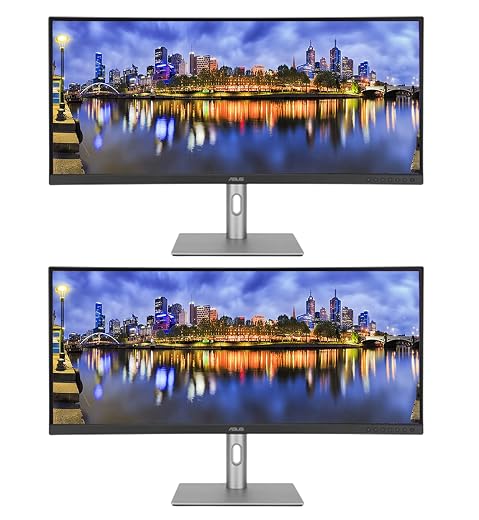
The industrial design of the monitor emphasizes minimal physical interference through its 3-sided borderless front frame. By stripping away the bulky plastic bezels on the top and sides, the screen presents an expansive display area framed only by an unobtrusive dark blue gray lower chin. This architectural choice is directly advantageous when planning a Samsung T35F for dual monitor setup, as placing two units edge-to-edge creates a narrow structural seam that preserves focal continuity when tracking mouse movements across multiple digital workspaces.
Physical desktop spatial planning is simplified by the chassis dimensions, measuring 24.1 inches wide, 14.31 inches high, and 9.13 inches deep with the integrated stand attached. With a total weight of 3 kg, the unit exerts minimal load on desktop risers or mounting platforms. The listing notes that the monitor is wall mountable, which allows users to uncouple the panel from the desktop stand to reclaim work surface area; however, the listing does not specify the exact VESA bolt pattern dimensions, so shoppers using third-party mounting arms must confirm bracket compatibility before installation.
The flat screen geometry avoids the geometric distortions occasionally introduced by aggressive curves on desktop productivity monitors. Straight horizontal spreadsheet grid lines and architectural line work remain geometrically true from edge to edge. The restrained, non-reflective dark blue gray exterior also blends cleanly into commercial offices and home workspaces without introducing aggressive gaming accents or distracting visual elements.
Connectivity Interface and Signal Compatibility
The hardware rear interface configuration for Samsung 27 inch 1080p monitor ports features one digital HDMI input alongside one legacy analog D-Sub (VGA) port. This dual-input arrangement provides a pragmatic connection pathway for hybrid IT environments where legacy desktop computers, older thin clients, or specialized point-of-sale systems must coexist with modern laptops, mini-PCs, and contemporary docking stations.
Shoppers planning advanced multi-display daisy-chaining must note that the listing does not specify a DisplayPort connection or an integrated USB hub. Connecting the display to modern graphics cards or high-end laptop docks requires an HDMI port or an active DisplayPort-to-HDMI adapter. Because the unit focuses on fundamental display mechanics, all input switching and core screen parameters are driven directly through the hardware interface without complex software drivers.
The inclusion of legacy VGA support remains a distinct technical advantage for schools, legacy industrial workstations, and municipal offices where aging system units remain operational. Modernizing to a 27-inch IPS panel without purchasing external analog-to-digital converter dongles streamlines hardware refreshes, allowing systems with D-Sub video outputs to instantly benefit from the 1080p visual canvas.
Eye Care Systems and Power Consumption Profile
Extended workdays demand display technologies that actively combat visual fatigue. The integrated Samsung T35F eye care mode framework addresses physiological strain through two hardware-level technologies: Eye Saver Mode and Flicker Free engineering. Traditional LED backlights often use pulse-width modulation (PWM) to control brightness, creating rapid, imperceptible screen flickering that causes optical muscle fatigue and headaches over prolonged sessions. The Flicker Free technology in this panel provides steady illumination across all brightness steps to eliminate that strain vector.
Eye Saver Mode specifically attenuates short-wavelength blue light emissions, which are recognized for disrupting circadian rhythms and inducing visual strain during evening work sessions. When activated, the panel shifts its color temperature toward warmer spectrums, softening document contrast for long reading sessions, PDF reviews, and database maintenance without requiring third-party software tinting filters.
Operational efficiency is another strong technical parameter of the platform. Operating at a standard voltage rating of 110 volts, the monitor draws a modest 25 watts of electrical power under regular usage conditions. For businesses deploying rows of dual-monitor workstations or home users managing power draw across multiple home-office appliances, this 25-watt power consumption profile ensures low operational heat generation and dependable energy efficiency over continuous daily runtimes.
Samsung T35F 27″ Pros and Cons
What works
- Smooth 75Hz refresh rate with AMD FreeSync
- In-Plane Switching panel with 178-degree viewing angles
- 3-sided borderless frame for clean multi-display alignment
- Low operational power consumption of 25 watts
- Flicker Free technology and Eye Saver Mode integration
- Includes legacy VGA alongside modern HDMI input
What to weigh up
- Modest 81.59 PPI density across 27-inch canvas
- No DisplayPort input provided on rear panel
- 0ms response time unsuited for competitive esports
Check Samsung T35F 27″ on Amazon
Who Should Buy the Samsung T35F 27″
Buy It If
- You need a clean multi-monitor setup where 3-sided borderless bezels keep display transitions seamless.
- You require an expansive 27-inch visual canvas that natively enlarges text and spreadsheets without software scaling.
- Your workstation requires both modern HDMI input and legacy VGA connectivity for older PC hardware.
- You want broad 178-degree IPS viewing angles paired with a fluid 75Hz refresh rate for comfortable daily office navigation.
Skip It If
- You require high pixel density for intricate graphic design, photo retouching, or ultra-crisp typography.
- Your primary objective is competitive esports gaming demanding 144Hz or higher refresh rates and 1ms motion response.
- Your desk architecture relies exclusively on native DisplayPort inputs without using external adapters.
Final Verdict
9.0/10Our score
When evaluating whether the Samsung T35F is worth it, technical shoppers must weigh physical screen real estate and ergonomic simplicity against pixel density constraints. Delivering a genuine 27-inch IPS panel with 178-degree viewing angles, 1000:1 contrast, and AMD FreeSync support at 75Hz, the monitor provides reliable day-to-day visual performance. For general business software, database administration, virtual meetings, and casual video streaming, the fluid motion and generous diagonal size represent a dependable upgrade from standard 22-inch or 24-inch 60Hz panels.
The primary architectural compromise remains the 1080p resolution stretched across a 27-inch diagonal, resulting in a moderate 81.59 PPI density that renders text slightly softer than smaller panels. Additionally, the port selection is limited to HDMI and VGA, omitting DisplayPort. However, for users seeking an expansive, power-efficient, and borderless dual-display foundation backed by reliable eye care technologies, the Samsung T35F 27″ stands as a practical, highly functional desktop monitor.
FAQ
Can the Samsung T35F 27" display run at 75Hz over both HDMI and VGA?
The monitor natively supports its 75Hz refresh rate through the digital HDMI interface. While the analog VGA (D-Sub) connection can technically carry 1080p signals, achieving a full 75Hz refresh rate without signal jitter or degradation depends heavily on the output capabilities of the connected host computer graphics hardware and cable quality.
Does the Samsung T35F 27" include built-in speakers?
The listing does not specify built-in audio speakers or an integrated 3.5mm headphone audio passthrough port on this monitor. Audio must be routed independently through your computer, an external desktop speaker set, or dedicated USB audio equipment.
What mounting pattern does the Samsung T35F support?
The manufacturer listing confirms that the display is wall mountable, which permits users to remove the included desktop stand. However, the listing does not specify the exact VESA hole pattern spacing (such as 75x75mm or 100x100mm), so users should inspect the rear chassis panel specifications before purchasing third-party monitor arm brackets.
Is the 1080p resolution on a 27-inch screen sharp enough for office productivity?
At approximately 81.59 pixels per inch, Full HD 1080p on a 27-inch monitor makes interface elements and documents appear naturally large, reducing the need for operating system scaling. While users sitting closer than two feet may observe individual pixel structures on text outlines, at standard desktop viewing distances of two to three feet, the screen provides comfortable legibility for spreadsheets and general documents.
Does AMD FreeSync work with NVIDIA graphics cards on this monitor?
The monitor features official AMD Radeon FreeSync support over its HDMI interface to prevent screen tearing. While some modern NVIDIA graphics processors support variable refresh rates across adaptive-sync displays, official G-Sync compatibility is not specified in the manufacturer listing, meaning dynamic synchronization is guaranteed primarily on supported AMD hardware.
See this listing on Amazon We may earn a commission if you buy through this link.
More in Monitors



The weekly shortlist
Specs worth reading, once a week
New teardowns, spec sheets and buying notes from across the desk.
This demo form is not connected to a mailing service.